
Key Takeaways
- MCP gives AI applications a standardized way to use approved tools, data sources, and workflows.
- APIs expose software capabilities, while MCP helps AI clients discover and use those capabilities in a consistent format.
- MCP does not replace APIs. Many MCP servers use APIs, databases, files, or other systems behind the scenes.
- Read-only access, clear permissions, logging, and human review are sensible starting points for connected AI workflows.
- The strongest use cases pair AI speed with current information and accountable human decisions.
For anyone asking what is MCP, the short answer is that it is a way for an AI application to connect with external systems. Instead of relying only on the text in a chat window or information learned during training, an AI assistant can use approved tools to retrieve data, search records, or prepare an action.
The MCP stands for Model Context Protocol. It is designed to help AI clients, such as assistants and coding tools, work with compatible services through a shared approach. That matters because useful work often depends on current project details, internal documentation, customer information, or structured business data.
Table Of Contents
- Why MCP Matters
- How MCP Works
- MCP vs. API
- Common Use Cases
- Automation and Guardrails
- Security and Permissions
- How to Get Started
- Common Questions
Why MCP Matters for Connected AI
AI can write, summarize, brainstorm, and explain without accessing outside systems. But some requests require evidence that is current, private, or specific to an organization. An assistant drafting a customer reply, for example, may need to check an order record or support history first. Without that context, it may produce polished wording that does not address the real issue.
The Model Context Protocol describes a standard for connecting AI applications to external data sources, tools, and workflows. In practical terms, it can reduce repetitive copying and pasting between systems while helping an assistant retrieve the information needed for a task.
How MCP Works
A typical workflow is straightforward. A person asks an AI client for help, and the client determines whether an approved connected service is needed. The service returns data or performs an allowed operation, then the AI presents the result in a useful format. For sensitive or high-impact work, a person should review the result before anything is finalized.
- AI client: The application from which the request originates. Understanding what MCP is becomes easier when you see how an AI client communicates with an MCP server to access approved tools, retrieve information, or perform permitted operations.
- MCP server: A service that exposes data, tools, or actions the client can use.
- Permission layer: Rules that limit what information can be read and which actions can be taken.
- Audit trail: A record of requests, tool calls, results, and approvals.
What Is MCP Compared With an API?
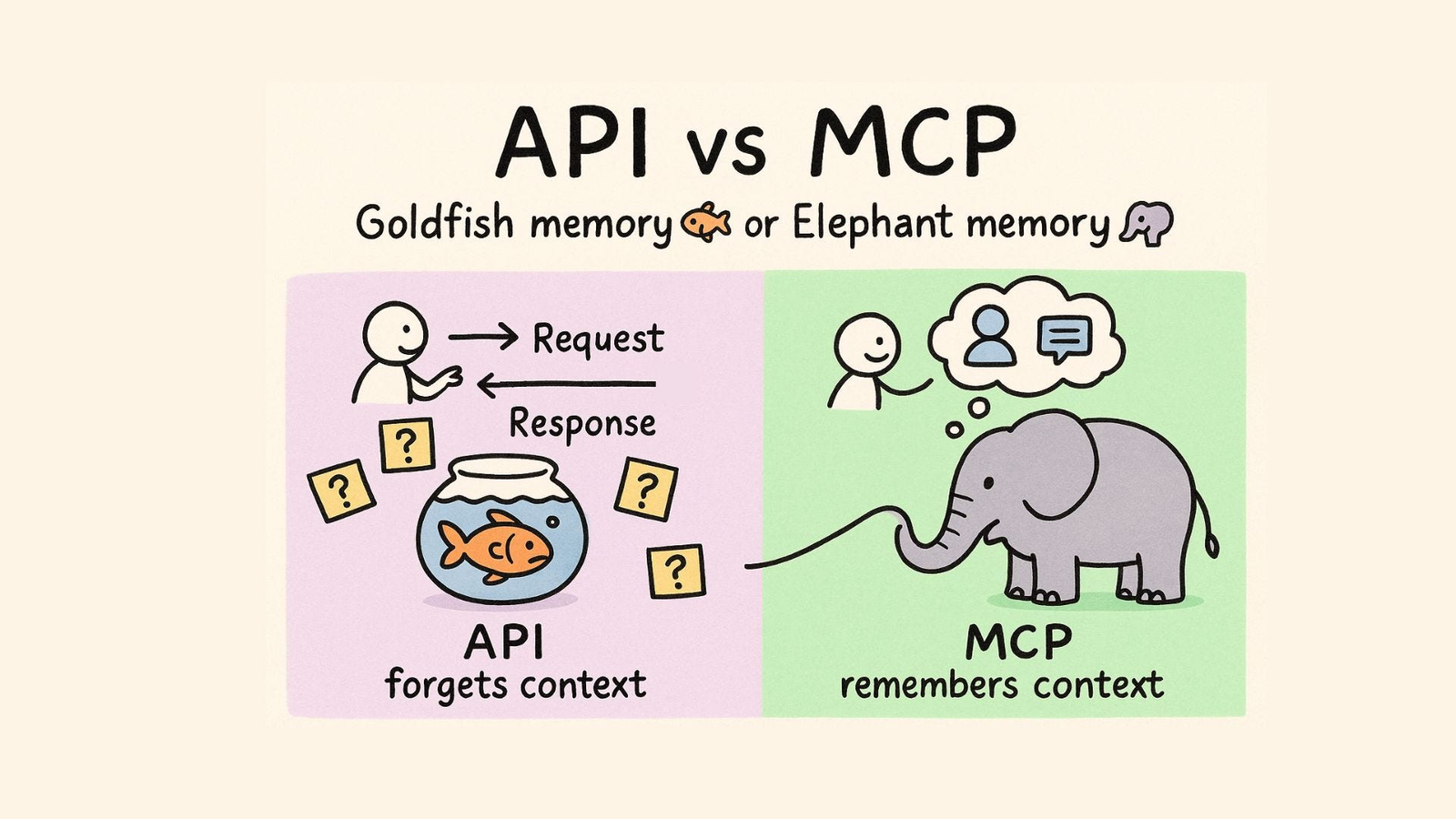
An API is a software interface that lets programs communicate with one another. As the basic definition of an API explains, it provides a documented way for software to request services or exchange information. Developers commonly use APIs to connect applications, retrieve records, update data, or trigger processes. For readers wondering what MCP is in relation to an API, the key distinction is that MCP standardizes how AI applications discover and interact with available capabilities.
MCP and APIs solve related but different problems. An API generally defines what a software system can do and how another program must call it. MCP gives AI clients a consistent way to discover available capabilities and use them with context. An MCP server may wrap an existing API, query a database, access local files, or connect to another approved service.
- API focus: Program-to-program communication through defined endpoints or methods.
- MCP focus: Giving AI clients a standardized path to discover and use tools, resources, and prompts.
- API user: Often a developer building an integration.
- MCP user: An AI client acting on a request, within the limits set by the organization and user.
Common Use Cases
Connected AI is most useful when it supports a clear task with trustworthy inputs. A research assistant can search approved internal documents and summarize the findings. A support assistant can review account details before preparing a reply. A development assistant can inspect issues, documentation, test results, or code changes before suggesting the next step.
Operations teams can use connected workflows to collect project updates and highlight delays. Marketing teams can compare approved campaign reports. Knowledge teams can help employees find current policies instead of relying on copied material that may be outdated. In every case, the objective is not merely to generate text. It is to make the text or recommendation more relevant to the work at hand.
Automation With Guardrails
Teams should introduce AI actions gradually. Start by allowing the assistant to read relevant information. Next, let it recommend a step or prepare a draft. Then require human approval before it creates a ticket, sends a message, or changes a record. Fully automated actions are best reserved for low-risk tasks with clear rules and reliable error handling.
Lower-risk examples include categorizing requests, summarizing documents, checking a status, and drafting internal notes. Higher-risk examples include approving user access, deleting data, changing financial records, or sending legal or customer-facing statements. The higher the consequence of an error, the stronger the review process should be.
Security and Permissions
A trusted connection still needs careful controls. An AI system can misunderstand a request, receive incomplete data, or be influenced by misleading content. Organizations should give each connection only the access required for its intended task, separate read permissions from write permissions, and require confirmation for sensitive actions.
- Use least-privilege access rather than broad default permissions.
- Keep read-only and action-based tools separate where possible.
- Log tool calls, returned results, and approval events.
- Review access regularly and remove connections that are no longer needed.
- Test normal, incomplete, and adversarial requests before wider deployment.
How to Get Started
Choose one repetitive, low-risk workflow with a measurable outcome. Map the systems and data it requires, then begin with read-only access. Define which prompts, tools, and actions are approved, and identify when a person must review the result. Track time saved, incorrect tool calls, human corrections, completion rates, and user feedback before expanding access.
A workflow is successful only when it improves the task without creating unacceptable new risk. Faster output is valuable, but accuracy, security, and user trust are equally important measures.
Common Questions
Does MCP replace APIs?
No. MCP commonly works alongside APIs. The API may provide the underlying capability, while MCP helps an AI client discover and use that capability in a standardized way.
Should every AI task use MCP?
No. Simple writing, editing, and brainstorming often do not require external tools. MCP is most helpful when the task depends on current, private, or structured information.
What is a good first MCP use case?
Start with internal search, research summaries, document preparation, or another repeated task that has clear inputs, limited consequences, and a human reviewer.
Conclusion
MCP can make AI more useful by connecting it to the right tools and information at the right time. APIs remain essential for software integrations, while MCP provides a common layer designed around AI clients and their need to discover context and capabilities. The most reliable approach combines limited permissions, dependable data, visible records of activity, and human judgment where it matters most.

